
Image and text watermark
Watermarking marks ownership of an image: a semi-transparent text label, a brand chip, or a logo placed over the photograph. Under the hood it is a two-layer composite — the base image and an overlay rendered with alpha — positioned with a fixed margin. This recipe shows a text watermark and a logo watermark, both anchored to the bottom-right corner.
Both variants start from the same input photograph and the project-generated WebP Cloud mark.


Text watermark
Section titled “Text watermark”Render © WebP Cloud in larger dark type on a white rounded backing pill, then composite that pill over the base at the bottom-right corner with a 24-pixel margin. Backing the text with a light pill keeps the label legible over any photograph luminance. The result is flattened to plain RGB and exported as WebP.
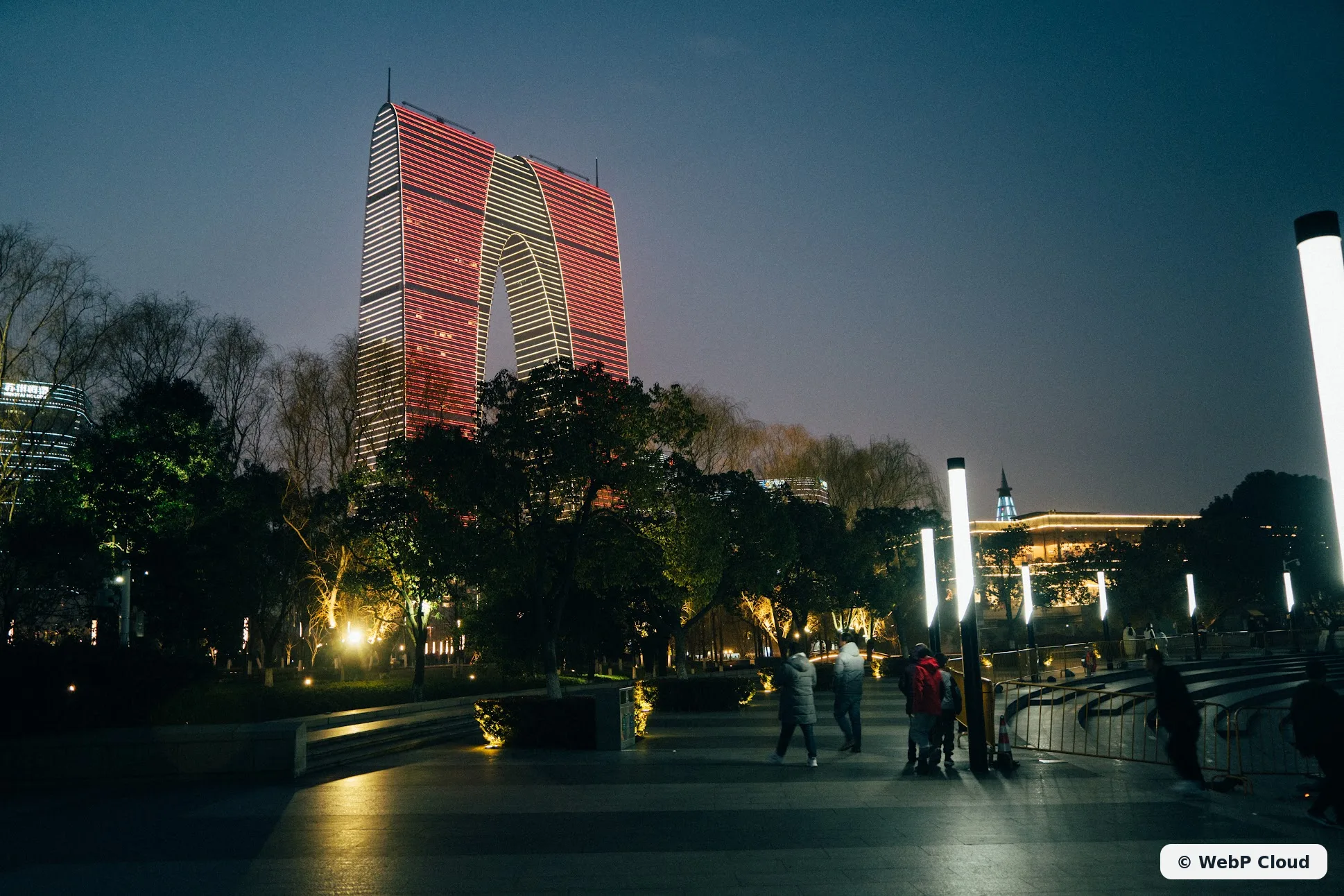
Generated with govips v2.19.0 / libvips 8.17.3.
textImg, err := vips.Text(&vips.TextParams{ Text: "<span foreground='#12202b' font-weight='700'>© WebP Cloud</span>", Font: "DejaVu Sans", DPI: 144, RGBA: true, Wrap: vips.TextWrapWord,})if err != nil { return err}// White rounded backing pill sized to the rendered label.pill, err := vips.NewImageFromBuffer([]byte(fmt.Sprintf( `<svg xmlns="http://www.w3.org/2000/svg" width="%d" height="%d"><rect width="%d" height="%d" rx="16" fill="#ffffff" fill-opacity="0.94"/></svg>`, textImg.Width()+52, textImg.Height()+32, textImg.Width()+52, textImg.Height()+32)))if err != nil { return err}if err := textImg.PremultiplyAlpha(); err != nil { return err}if err := pill.Composite(textImg, vips.BlendModeOver, 26, 16); err != nil { return err}base, err := vips.NewImageFromFile(inputPath)if err != nil { return err}x := base.Width() - pill.Width() - 24y := base.Height() - pill.Height() - 24if err := base.Composite(pill, vips.BlendModeOver, x, y); err != nil { return err}if err := base.Flatten(&vips.Color{R: 29, G: 45, B: 53}); err != nil { return err}data, _, err := base.ExportWebp(vips.NewWebpExportParams())await sharp('input.jpg') .composite([ { input: Buffer.from( '<svg xmlns="http://www.w3.org/2000/svg" width="360" height="60"><rect width="360" height="60" rx="16" fill="#ffffff" fill-opacity="0.94"/></svg>', ), left: 1938 - 360 - 24, top: 1292 - 60 - 24, blend: 'over', }, { input: Buffer.from( '<svg xmlns="http://www.w3.org/2000/svg" width="360" height="60"><text x="26" y="40" font-family="DejaVu Sans" font-size="28" font-weight="700" fill="#12202b">© WebP Cloud</text></svg>', ), left: 1938 - 360 - 24, top: 1292 - 60 - 24, blend: 'over', }, ]) .flatten({ background: '#1d2d35' }) .webp({ quality: 82 }) .toFile('text-watermark.webp');base = pyvips.Image.new_from_file("input.jpg")text = pyvips.Image.text('<span foreground="#12202b" font-weight="700">© WebP Cloud</span>', font="DejaVu Sans", dpi=144, rgba=True)pad_x, pad_y = 26, 16pill = pyvips.Image.svgload_buffer( f'<svg xmlns="http://www.w3.org/2000/svg" width="{text.width + 2*pad_x}" ' f'height="{text.height + 2*pad_y}">' f'<rect width="{text.width + 2*pad_x}" height="{text.height + 2*pad_y}" rx="16" ' f'fill="#ffffff" fill-opacity="0.94"/></svg>'.encode())pill = pill.composite2(text.premultiply(), "over", x=pad_x, y=pad_y)x = base.width - pill.width - 24y = base.height - pill.height - 24result = base.composite2(pill, "over", x=max(x, 0), y=max(y, 0))result.write_to_file("text-watermark.webp", Q=82)vips text txt.png "<span foreground='#12202b' font-weight='700'>© WebP Cloud</span>" --font 'DejaVu Sans' --dpi 144 --rgba# white pill around the label; place: x = width - pill_width - 24, y = height - pill_height - 24vips svgload pill.svg pill.pngvips composite2 pill.png txt.png pilltext.png over --x 26 --y 16vips composite2 input.jpg pilltext.png 'text-watermark.webp[Q=82]' over --x "$X" --y "$Y"Logo watermark
Section titled “Logo watermark”Composite the semi-transparent WebP Cloud mark over the base at the same bottom-right position. Because the SVG overlay carries its own alpha, it is premultiplied before compositing so the blend is correct.
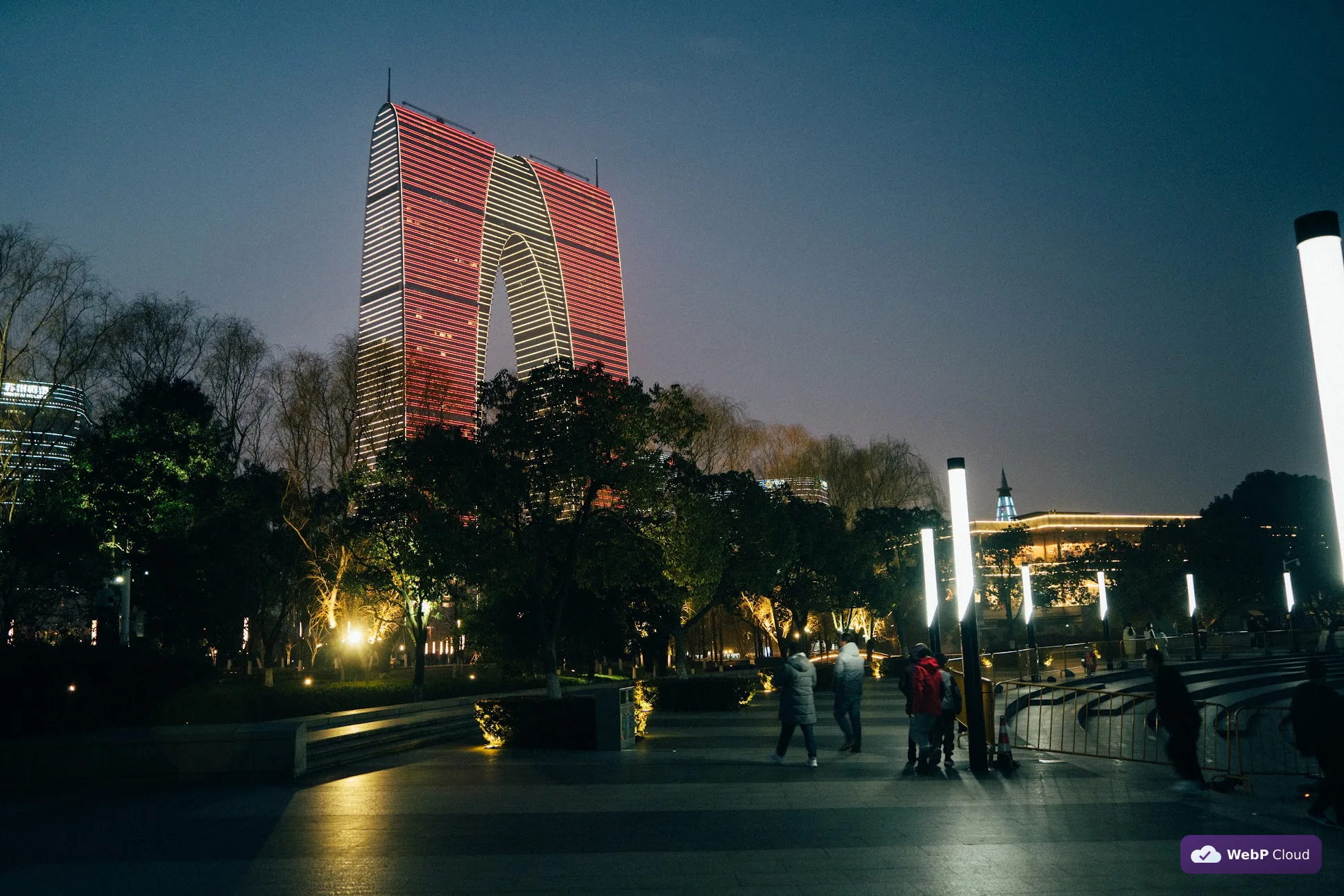
Generated with govips v2.19.0 / libvips 8.17.3.
logo, err := vips.NewImageFromFile(overlayPath)if err != nil { return err}// Premultiply the RGBA overlay so the blend is correct.if err := logo.PremultiplyAlpha(); err != nil { return err}base, err := vips.NewImageFromFile(inputPath)if err != nil { return err}x := base.Width() - logo.Width() - 24y := base.Height() - logo.Height() - 24if err := base.Composite(logo, vips.BlendModeOver, x, y); err != nil { return err}if err := base.Flatten(&vips.Color{R: 29, G: 45, B: 53}); err != nil { return err}data, _, err := base.ExportWebp(vips.NewWebpExportParams())await sharp('input.jpg') .composite([{ input: 'watermark-logo.svg', gravity: 'southeast', blend: 'over' }]) .flatten({ background: '#1d2d35' }) .webp({ quality: 82 }) .toFile('logo-watermark.webp');base = pyvips.Image.new_from_file("input.jpg")logo = pyvips.Image.new_from_file("watermark-logo.svg")x = base.width - logo.width - 24y = base.height - logo.height - 24result = base.composite2(logo, "over", x=max(x, 0), y=max(y, 0))result.write_to_file("logo-watermark.webp", Q=82)vips composite2 input.jpg watermark-logo.svg 'logo-watermark.webp[Q=82]' over --x "$X" --y "$Y"Capability boundary: drawing is not uniform across bindings
Section titled “Capability boundary: drawing is not uniform across bindings”Watermarking here is built on text rendering + two-layer compositing, which every binding supports. Raw drawing operations are a different story:
- pyvips and the vips CLI expose the full draw suite:
draw_line,draw_circle,draw_rect,draw_flood, anddraw_image. - govips exposes only
DrawRect (ink, left, top, width, height, fill); there is no generated or hand-writtenDrawLineorDrawCirclein govips v2.19.0. - sharp ships no drawing primitives at all. To draw a line or shape in sharp you rasterize an SVG or text overlay and composite it.
So a “draw a red circle” product intent is not directly expressible in govips or sharp without going through SVG/text. This recipe deliberately routes every binding through the compositing path they all support, and treats raw drawing as a capability boundary rather than a portable operation.