
Resize, crop, rotate, and flip
Geometry work starts by defining the output canvas: its dimensions, whether cropping is allowed, how out-of-bounds areas are filled, and whether EXIF Orientation has already been normalized. The sections below split each geometry operation into its own output and code block.
Every variant uses the same source photograph:

The reference output was generated with govips v2.19.0 / libvips 8.17.3.
Resize (fit inside)
Section titled “Resize (fit inside)”Shrink the input to fit within 400 × 400, never enlarging it. The code below computes the scale factor dynamically and clamps the smaller edge to 1.0 to avoid upscaling.
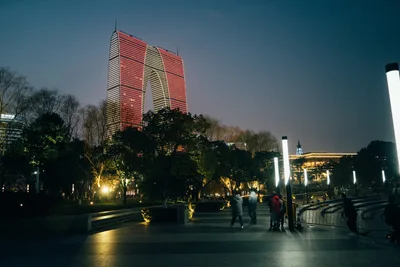
func scale(image *vips.ImageRef) float64 { s := 400.0 / float64(image.Width()) if hs := 400.0 / float64(image.Height()); hs < s { s = hs } if s > 1.0 { s = 1.0 } return s}# inside run(): vips.Startup(nil) and defer vips.Shutdown();image, err := vips.NewImageFromFile("input.jpg")if err != nil { return err }defer image.Close()s := scale(image)if err := image.Resize(s, vips.KernelLanczos3); err != nil { return err }data, _, err := image.ExportWebp(vips.NewWebpExportParams())if err != nil { return err }return os.WriteFile("resize-fit.webp", data, 0o644)await sharp('input.jpg') .resize(400, 400, { fit: 'inside', withoutEnlargement: true }) .webp({ quality: 82 }) .toFile('resize-fit.webp');image = pyvips.Image.new_from_file("input.jpg")s = min(400 / image.width, 400 / image.height, 1.0)fit = image.resize(s, kernel="lanczos3")fit.write_to_file("resize-fit.webp", Q=82)W=$(vipsheader --all input.jpg | grep '^width:' | awk '{print $2}')H=$(vipsheader --all input.jpg | grep '^height:' | awk '{print $2}')SCALE=$(python3 -c "print(min(400/${W},400/${H},1.0))")vips resize input.jpg 'resize-fit.webp[Q=82]' "$SCALE" --vscale "$SCALE" --kernel lanczos3Coordinate crop
Section titled “Coordinate crop”Take a 500 × 500 square starting at top-left (520, 250). Validate that the rectangle stays within bounds before cropping.
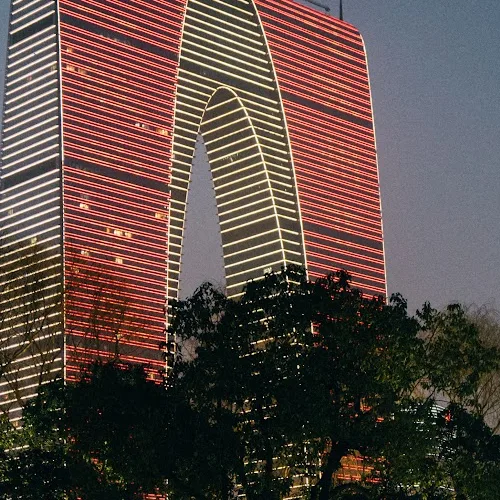
image, err := vips.NewImageFromFile("input.jpg")if err != nil { return err }defer image.Close()if err := image.ExtractArea(520, 250, 500, 500); err != nil { return err }data, _, err := image.ExportWebp(vips.NewWebpExportParams())if err != nil { return err }return os.WriteFile("crop.webp", data, 0o644)await sharp('input.jpg') .extract({ left: 520, top: 250, width: 500, height: 500 }) .webp({ quality: 82 }) .toFile('crop.webp');image = pyvips.Image.new_from_file("input.jpg")crop = image.extract_area(520, 250, 500, 500)crop.write_to_file("crop.webp", Q=82)vips extract_area input.jpg 'crop.webp[Q=82]' 520 250 500 500Rotation
Section titled “Rotation”Rotate the image clockwise by 30 degrees. Arbitrary-angle rotation needs interpolation, may enlarge the canvas, and introduces a background region — here filled with dark #1d2d35.
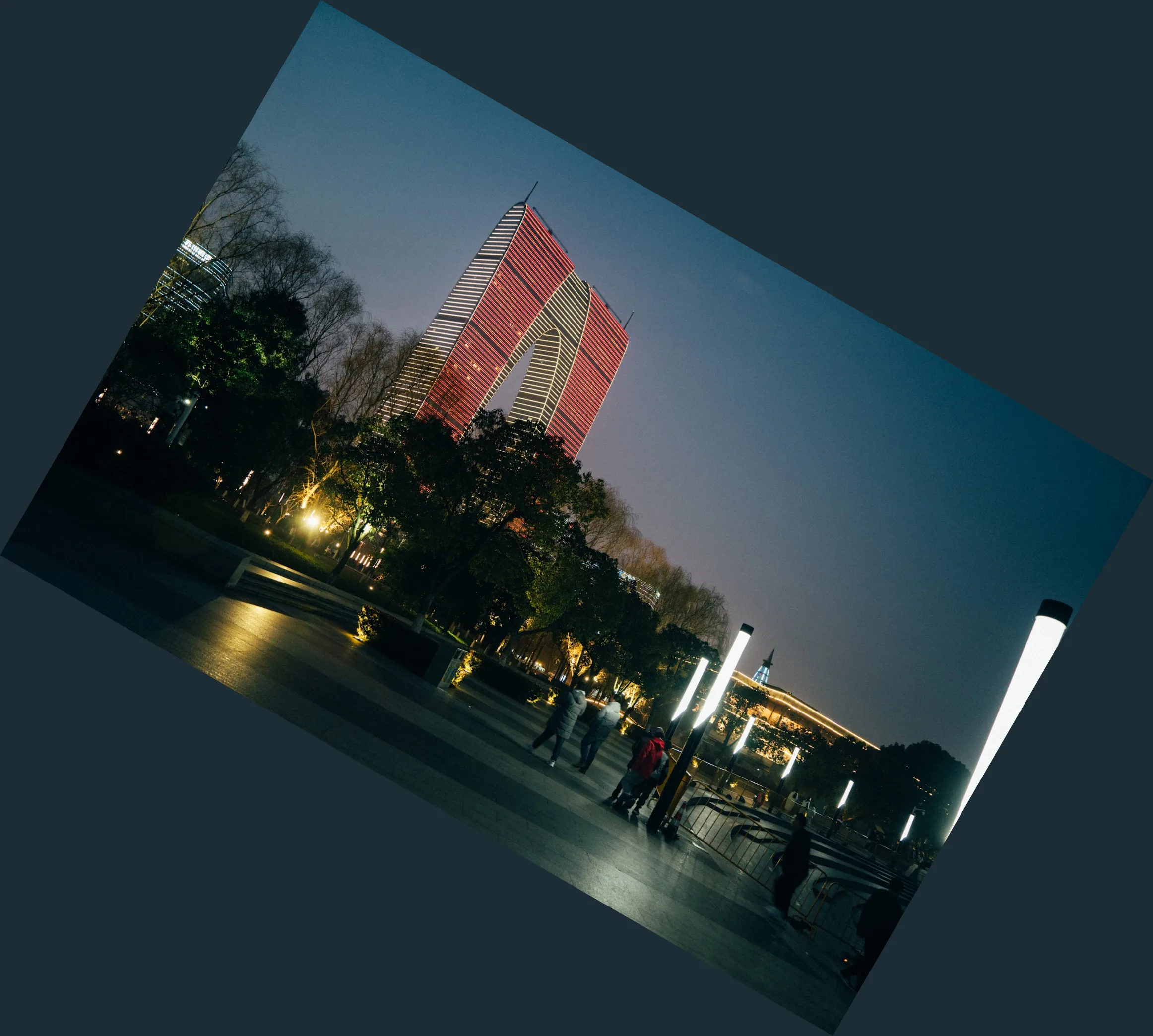
image, err := vips.NewImageFromFile("input.jpg")if err != nil { return err }defer image.Close()if err := image.Similarity(1, 30, &vips.ColorRGBA{R: 29, G: 45, B: 53, A: 255}, 0, 0, 0, 0); err != nil { return err }data, _, err := image.ExportWebp(vips.NewWebpExportParams())if err != nil { return err }return os.WriteFile("rotate-30.webp", data, 0o644)await sharp('input.jpg') .rotate(30, { background: { r: 29, g: 45, b: 53 } }) .webp({ quality: 82 }) .toFile('rotate-30.webp');image = pyvips.Image.new_from_file("input.jpg")rotated = image.similarity(scale=1, angle=30, background=[29, 45, 53])rotated.write_to_file("rotate-30.webp", Q=82)vips similarity input.jpg 'rotate-30.webp[Q=82]' --angle 30 --background 29,45,53Flip the image along the horizontal axis; the output canvas dimensions stay the same.
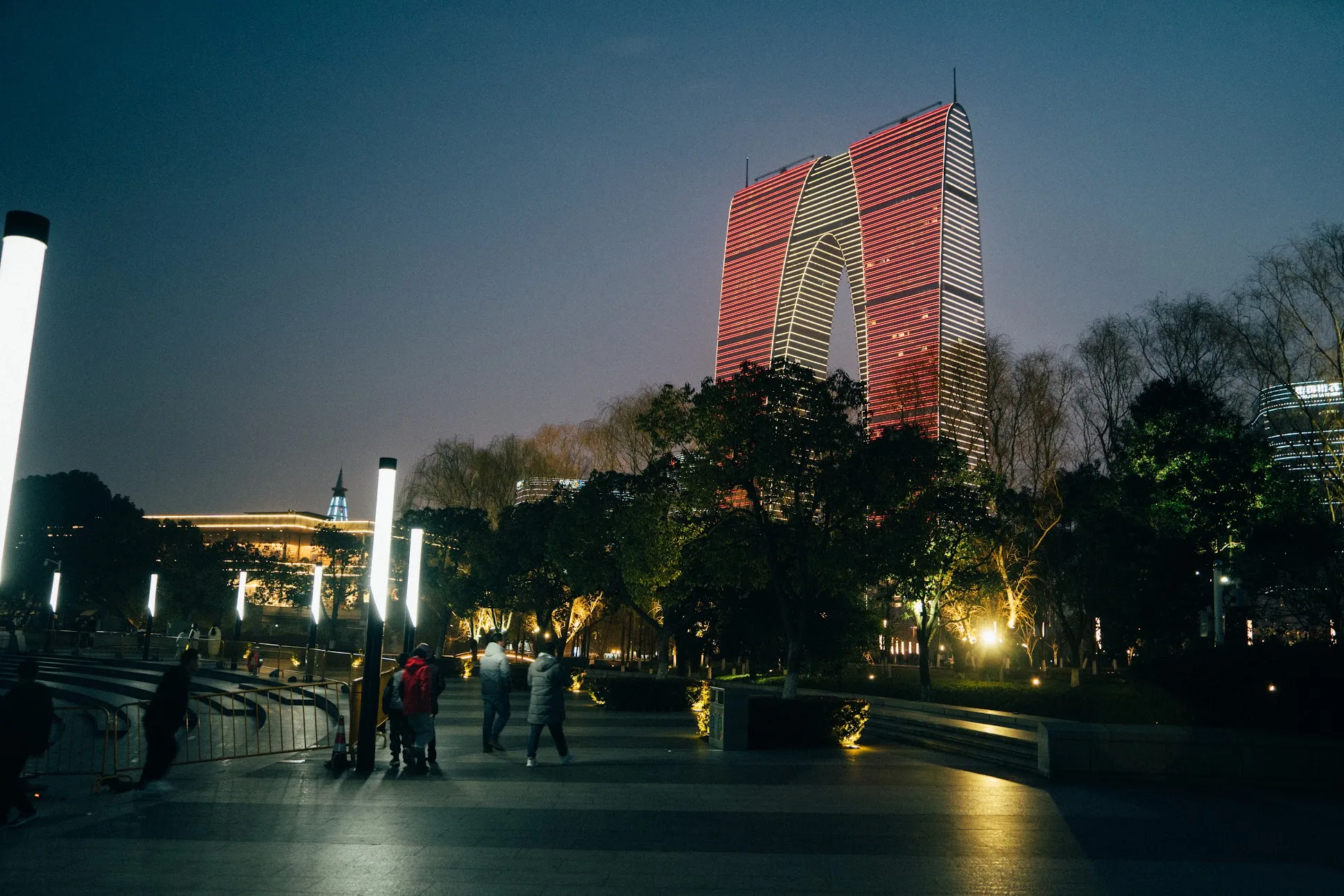
image, err := vips.NewImageFromFile("input.jpg")if err != nil { return err }defer image.Close()if err := image.Flip(vips.DirectionHorizontal); err != nil { return err }data, _, err := image.ExportWebp(vips.NewWebpExportParams())if err != nil { return err }return os.WriteFile("flip-horizontal.webp", data, 0o644)await sharp('input.jpg') .flop() .webp({ quality: 82 }) .toFile('flip-horizontal.webp');image = pyvips.Image.new_from_file("input.jpg")flipped = image.fliphor()flipped.write_to_file("flip-horizontal.webp", Q=82)vips flip input.jpg 'flip-horizontal.webp[Q=82]' horizontalChoosing a canvas background
Section titled “Choosing a canvas background”The variants differ in canvas size and background: fit keeps the proportional downsample, crop takes a fixed region, and rotation may enlarge the canvas and add a fill colour. In production, decide the output canvas, background strategy, and area of interest explicitly rather than relying on a binding default.
Common mistakes
Section titled “Common mistakes”- Unchecked crop bounds: an out-of-range
extract_areareturns an error. - Relying on default scaling: passing only two numbers without a fit/cover/inside policy gives different defaults across bindings.
- Ignoring the background colour: transparent outputs and formats without alpha need different rotation backgrounds.