
Multi-layer compositing and blend modes
Compositing places multiple images together and defines how their pixels interact at overlapping regions. The interaction is controlled by a blend mode: over places the top image on top using alpha, while multiply blends channels so both layers stay visible. This recipe layers a semi-transparent WebP Cloud mark over the centre of a photograph and exports it twice — once with over, once with multiply — as WebP.
The base is the input photograph; the overlay is the project-generated WebP Cloud mark, centered by gravity.


Blending with Over
Section titled “Blending with Over”over is the default and most common mode: the overlay replaces pixels wherever its alpha is non-zero. Centering the WebP Cloud mark keeps both layers aligned across the variants.
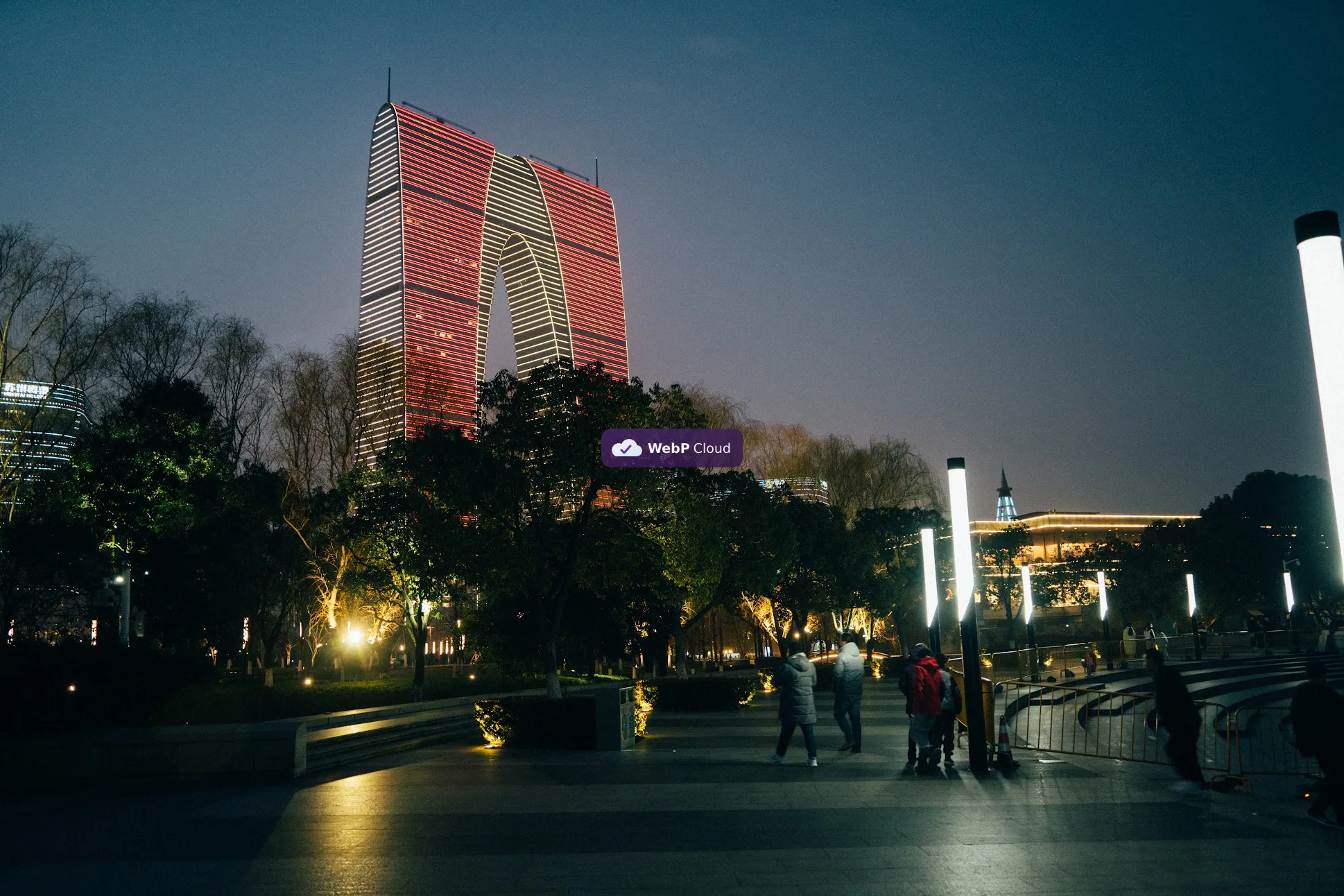
Generated with govips v2.19.0 / libvips 8.17.3.
base, err := vips.NewImageFromFile(inputPath)if err != nil { return err}overlay, err := vips.NewImageFromFile(overlayPath)if err != nil { return err}if err := overlay.PremultiplyAlpha(); err != nil { return err}x := (base.Width() - overlay.Width()) / 2y := (base.Height() - overlay.Height()) / 2if err := base.Composite(overlay, vips.BlendModeOver, x, y); err != nil { return err}if err := base.Flatten(&vips.Color{R: 29, G: 45, B: 53}); err != nil { return err}data, _, err := base.ExportWebp(vips.NewWebpExportParams())await sharp('input.jpg') .composite([{ input: 'watermark-logo.svg', gravity: 'centre', blend: 'over' }]) .flatten({ background: '#1d2d35' }) .webp({ quality: 82 }) .toFile('composite-over.webp');base = pyvips.Image.new_from_file("input.jpg")overlay = pyvips.Image.new_from_file("watermark-logo.svg")x = (base.width - overlay.width) // 2y = (base.height - overlay.height) // 2result = base.composite2(overlay, "over", x=x, y=y)result.write_to_file("composite-over.webp", Q=82)vips composite2 input.jpg watermark-logo.svg 'composite-over.webp[Q=82]' over --x "$X" --y "$Y"Blending with Multiply
Section titled “Blending with Multiply”multiply scales each channel of one image by the corresponding channel of the other, so overlapping areas stay visible and darken. Notice how the same overlay produces a different look than over.
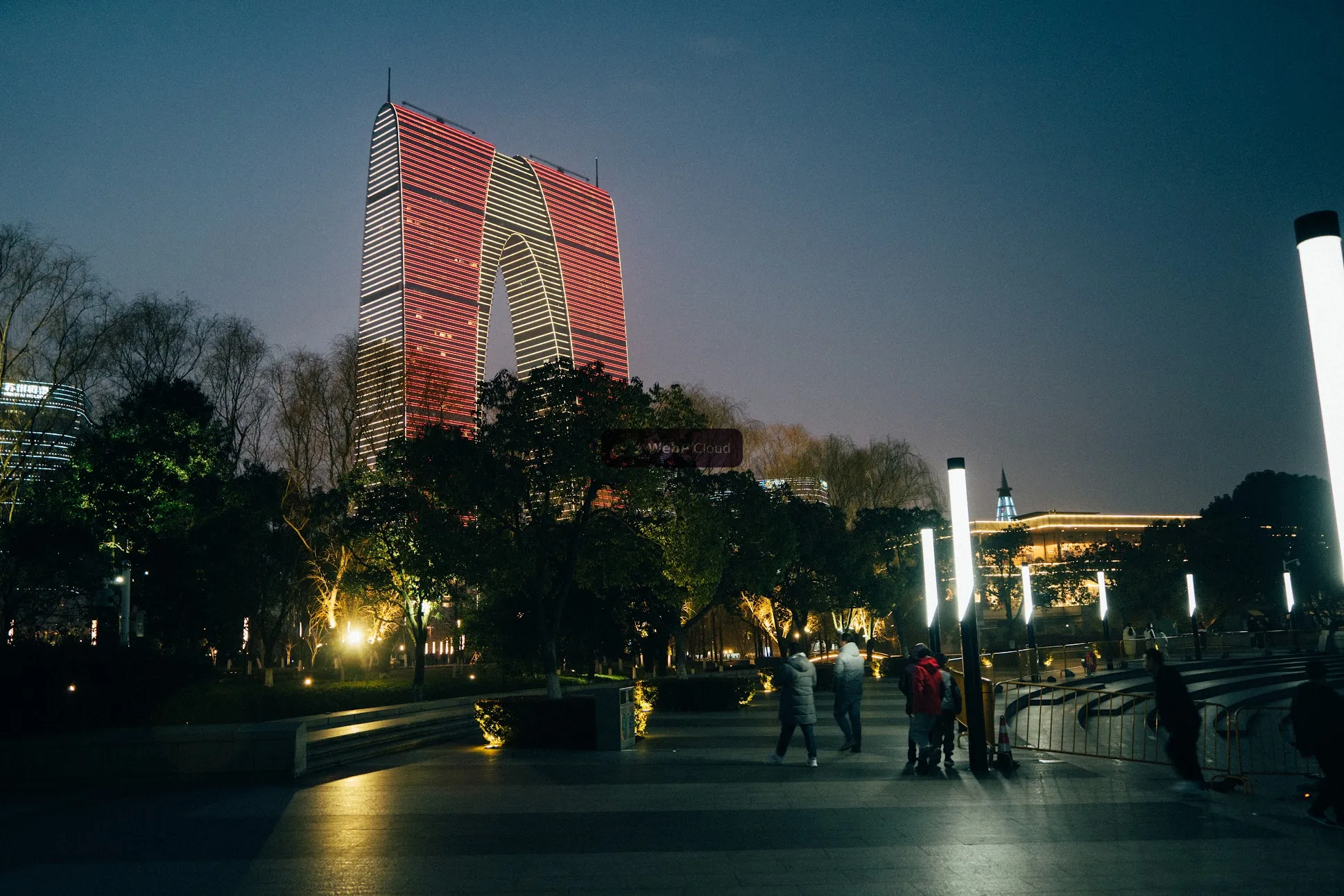
Generated with govips v2.19.0 / libvips 8.17.3.
base, err := vips.NewImageFromFile(inputPath)if err != nil { return err}overlay, err := vips.NewImageFromFile(overlayPath)if err != nil { return err}if err := overlay.PremultiplyAlpha(); err != nil { return err}x := (base.Width() - overlay.Width()) / 2y := (base.Height() - overlay.Height()) / 2if err := base.Composite(overlay, vips.BlendModeMultiply, x, y); err != nil { return err}if err := base.Flatten(&vips.Color{R: 29, G: 45, B: 53}); err != nil { return err}data, _, err := base.ExportWebp(vips.NewWebpExportParams())await sharp('input.jpg') .composite([{ input: 'watermark-logo.svg', gravity: 'centre', blend: 'multiply' }]) .flatten({ background: '#1d2d35' }) .webp({ quality: 82 }) .toFile('composite-multiply.webp');base = pyvips.Image.new_from_file("input.jpg")overlay = pyvips.Image.new_from_file("watermark-logo.svg")x = (base.width - overlay.width) // 2y = (base.height - overlay.height) // 2result = base.composite2(overlay, "multiply", x=x, y=y)result.write_to_file("composite-multiply.webp", Q=82)vips composite2 input.jpg watermark-logo.svg 'composite-multiply.webp[Q=82]' multiply --x "$X" --y "$Y"Blend-mode naming differs across bindings
Section titled “Blend-mode naming differs across bindings”The underlying set of blend modes comes from the libvips VipsBlendMode enum, but each binding presents it differently:
- govips uses typed Go constants:
vips.BlendModeOver,vips.BlendModeMultiply. - sharp uses lowercase string names:
'over','multiply', and 24 others. - pyvips accepts a string mode in
composite2:"over","multiply". - vips CLI accepts the same enum name as the fourth positional argument.
Because the modes map to the same underlying enum, the product intent is portable — but you cannot copy a mode name from one binding to another without a mapping. The page-level reference op-mapping and default-differences pages track these renames.